
GhostWryter
What is GhostWryter?
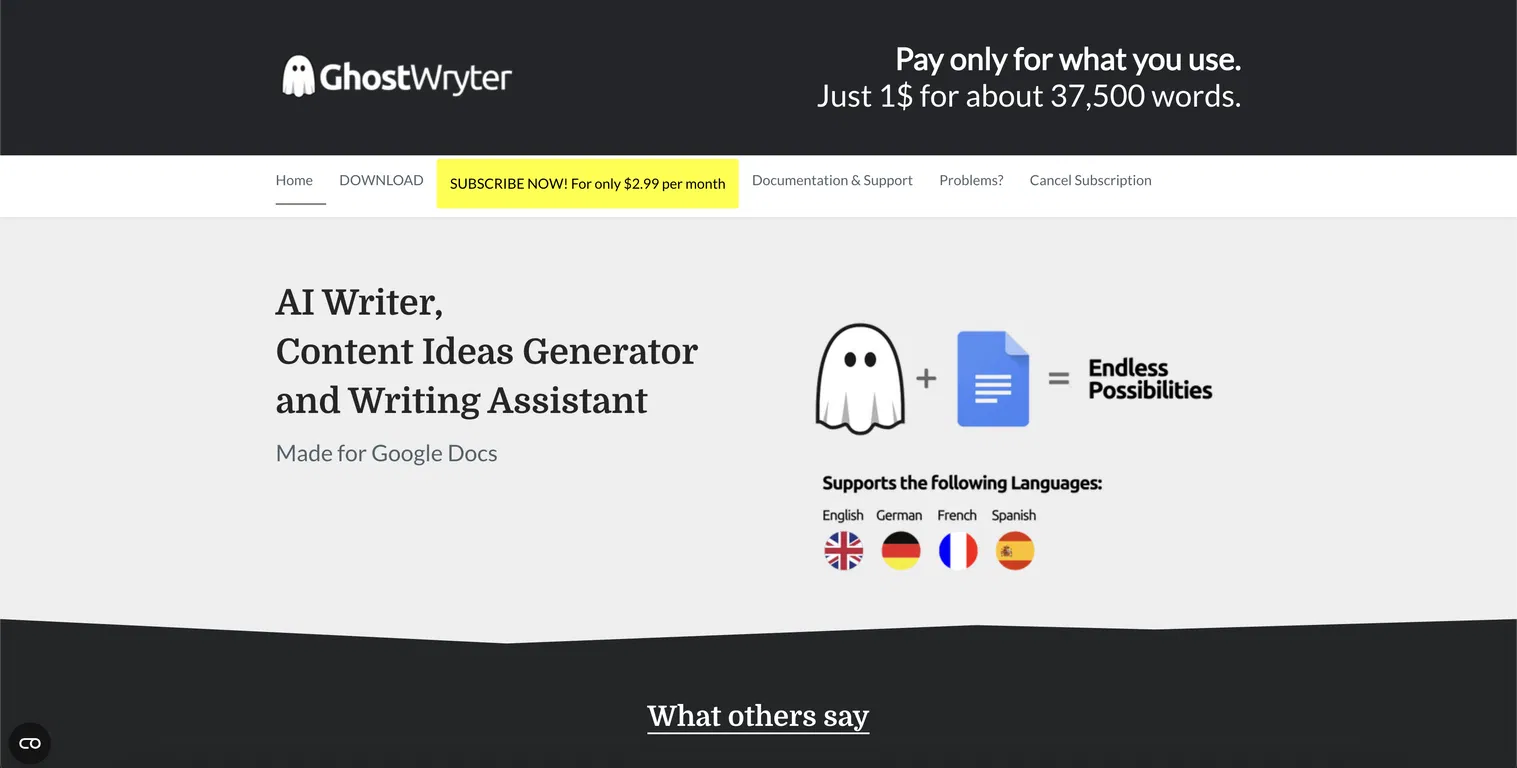
GhostWryter is an AI-powered writing assistant embedded into Google Docs. It enables users to generate SEO-friendly blog posts, marketing content, outlines, and rewrites—all within Docs using your own OpenAI license key, offering cost transparency and efficiency.
Key Features
- Google Docs Integration: Fully integrated as an add-on, so you work directly in your document.
- AI Writing Tools: Includes content ideas, outlines, blog post drafts, rewrites, meta suggestions, and more.
- Token-Based Pricing: Use your own OpenAI key and benefit from ~$0.02 per 1,000 tokens (~750 words). That’s roughly 37,500 words for $1.
- Affordable Monthly Subscription: Just $2.99/month—staying loyal maintains this rate; re-subscribers may pay up to $7.99.
Who is Using GhostWryter?
- Blogger professionals and marketers working in Google Docs who want seamless AI assistance.
- SEO writers and content creators seeking budget-friendly mass content generation.
- Anyone needing prompt generation within Docs without platform switching or cost surprises.
Pricing
- Subscription: $2.99/month with loyalty pricing—cancelling and returning may raise it to $7.99.
- Token Usage: Generated via your OpenAI key at ~$0.02 per 1,000 tokens (~750 words).
- Free Subscription Trial: You can cancel within the first 3 days for a refund.
Check out ghostwryter.net and Google Workspace Marketplace for current pricing and features.
What Makes GhostWryter Unique?
GhostWryter combines direct Google Docs embedding with token-based billing, making it extremely affordable and transparent. By using your own OpenAI key and paying only for tokens used, it eliminates DAU limitations and markup pricing, giving creators full control.
How We Rated It
- Ease of Use: 4.5/5
- Output Quality: 4.4/5
- Speed & Performance: 4.6/5
- Feature Set: 4.2/5
- Value for Money: 4.8/5
- Overall Score: 4.5/5