
Best AI Tools for 2025: Our 50 Tried and Tested Picks
- 0 comments
- 4 months ago
- Uncategorized
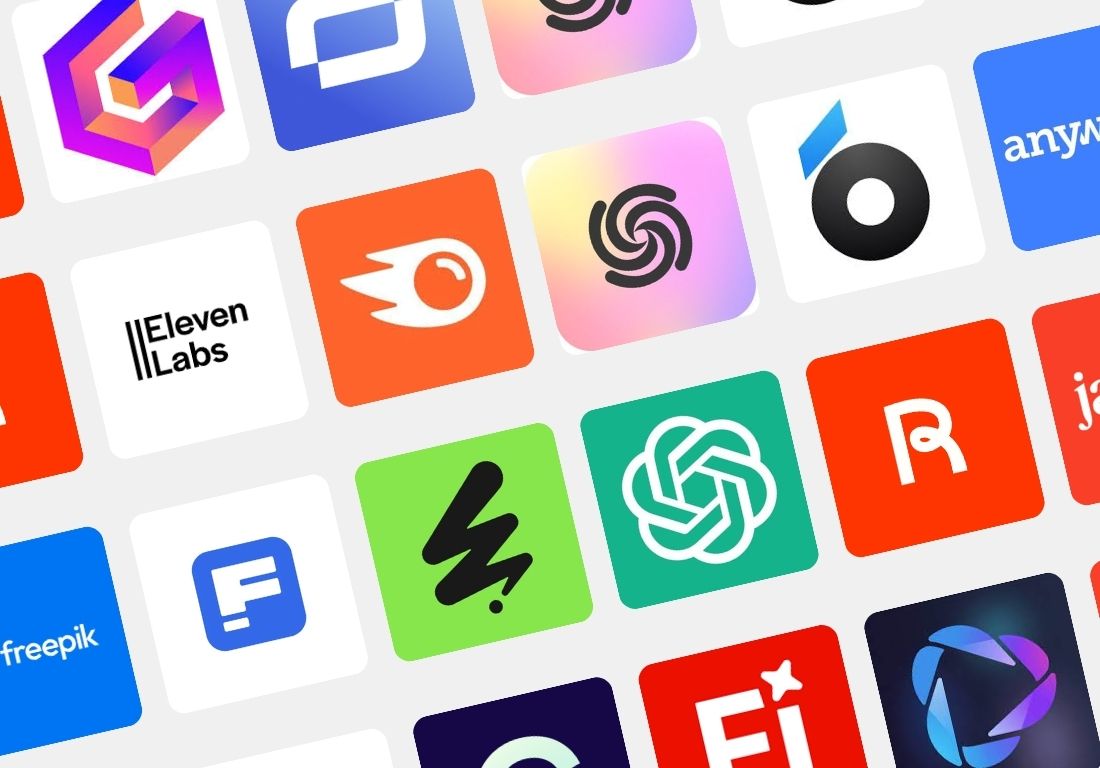

Using AI in 2025 is no longer optional. It’s essential.
Whether you’re creating content, running a business, designing visuals, building apps, or launching your next side hustle—AI tools can save you hours, increase your output, and unlock creative possibilities you didn’t think were within reach.
But there’s a problem.
There are now thousands of AI tools. Some are brilliant. Some are broken. And some are just hype. That’s why I spent weeks testing, comparing, and using 50+ AI tools across every category—from writing assistants and video generators to app builders, image creators, and scheduling tools.
The result? This guide.
These are the 50 best AI tools for 2025, handpicked not just for being trendy—but for being genuinely useful.
The Best AI Tools for Every Task in 2025
From conversation to creation, these tools cover every key area of productivity, creativity, and automation. Whether you’re a solo creator, marketer, developer, entrepreneur, or working in a team, there’s an AI tool in this list that will match your workflow.
AI Assistants
ChatGPT – multi-purpose assistant for writing, coding, research
Grok – real-time assistant for trending and cultural knowledge
Claude – long-context understanding, summarization, document reasoning
Gemini – Google’s AI for research, logic, and task automation
Video Creation
Google Veo 3 – full video creation from prompt or script
HeyGen – create avatars with voice and lip sync
Invideo AI v3.0 – AI editor for social media and marketing videos
OpusClip – repurpose long-form videos into viral short clips
Hedra – collaborative AI video editing
Kling – next-gen text-to-video model
Sora by OpenAI – experimental full-scene video generation
Seedance v1.1 – AI animation from movement prompts
Hailuo AI 2 – Chinese-developed video generation engine
Synthesia – create avatar-based video presentations
Fliki – transform blog posts or scripts into video with voice
Image Generation
Pykaso AI – artistic, fast, mobile-friendly AI image creation
Freepik Image Generator – for commercial-ready AI visuals
Gemini Flash 2.5 “Nano Banana” – fast web image generation via prompts
Ideogram – stylish text-to-image with advanced typography
Midjourney – artistic, stylized visuals for storytelling
Website & App Builders
Framer – build modern websites from prompts
10Web – WordPress-based AI website builder
Base44 – build AI-native apps with no-code logic
Lovable – create branded web apps in minutes
Content & SEO
Semrush Content Toolkit – SEO-driven AI content strategy
Writesonic – long-form and marketing content at scale
AdCreative – generate ad visuals and copy at once
AirOps – content operations and AI workflows for teams
Chatbots & Search
Chaindesk – AI chatbots trained on custom data
FastBots v2.5 – fast, no-code chatbot builder
Google AI Mode – enhanced search via Gemini
Perplexity – AI research engine for verified answers
ChatGPT Search – real-time data search with AI understanding
Graphic & Design
Canva Magic Studio – AI suite for image, video, copy
Looka – AI logo and branding design platform
Developer Tools
Replit – AI-powered coding workspace
Cursor – developer-focused AI pair programming
Knowledge & Notes
Notion Q&A – ask your docs and wikis anything
Guru – internal knowledge base with AI search
Email & Writing
HubSpot Email Writer – generate emails from CRM context
Fyxer – AI-powered email assistant
Shortwave – summarize and compose Gmail threads with AI
Productivity & Scheduling
Reclaim – smart calendar prioritization
Clockwise – automatic meeting scheduling via AI
Presentations
Gamma – turn ideas into polished AI presentations
Copilot for PowerPoint – generate slides directly from outlines
Resume & Career
Teal – AI resume optimization and job tracking
Kickresume – generate modern CVs and cover letters with AI
Audio, Music, and Voice
ElevenLabs – lifelike text-to-speech generation
Murf – voiceover for presentations, podcasts, videos
Suno – generate full songs with AI from a prompt
Udio – AI music engine for creators and producers
What Makes the Best AI Tools ?
There’s no shortage of AI-powered platforms. But that doesn’t mean they’re all worth your time. In fact, some well-known tools didn’t make it into this list. Why?
Because they’re either:
- Too complex or plugin-dependent (ex: Adobe Premiere Pro, After Effects)
- Not AI-native — they’ve just added surface-level AI features
- Or they require expertise that makes them inaccessible to most users
To organize this massive ecosystem, I’ve grouped the tools into 19 distinct categories, each focused on a specific type of task or workflow.
AI Assistants – For writing, reasoning, research
AI Video Generators – For creating short and long-form videos from scratch
AI Video Avatars – For generating human-like talking avatars
AI Image Generators – For visual assets, mockups, and creative art
AI Website Builders – For landing pages, portfolios, and product sites
AI App Builders – For web/mobile app creation without coding
Content & SEO Tools – For high-converting blog posts and copy
Chatbots – For 24/7 automated customer or internal communication
AI Search Engines – For better answers and real-time research
AI Design Tools – For logos, ad creatives, and branding
Developer Tools – For coding, debugging, and app deployment
Knowledge Tools – For Q&A over company docs or wikis
Email Writers – For sales, outreach, and inbox automation
Scheduling Tools – For time optimization and meeting automation
Slide Creators – For presentations from outline or ideas
Resume Builders – For job seekers and freelancers
Text to Speech Tools – For podcasts, narration, and audio guides
Music Generators – For creators, musicians, and marketers
Ad Creatives – For campaigns that combine visuals + copy
How We Evaluate and Test Apps
This is not a copy-paste list.
I personally tested each tool in real conditions—writing scripts, generating images, building pages, repurposing content, creating videos, launching bots, and more.
I paid attention to:
- Setup time
- Learning curve
- Output quality
- Flexibility
- Usefulness in real-life workflows
- Free plan limitations and paid upgrade value
Tools that were inconsistent, unreliable, or failed to deliver on their AI promise were excluded.
Criteria We Considered
Here’s the concrete framework I used to evaluate each AI tool:
- AI-first features – Not “AI-enhanced”, but AI-built from the ground up
- High-quality output – Especially for images, audio, and video (min. 720p or pro-grade results)
- Customization options – Can you control prompts, inject brand elements, or upload assets?
- Ease of use – Tools must work for beginners, not just developers
- Unique value – Does it offer something different or solve a real user problem?
This year brought dozens of exciting tools across all industries. I rigorously tested and retested each one to surface only the most valuable, accessible, and impactful options.
Why Some Tools Didn’t Make the Cut
You won’t see Photoshop, Final Cut, or Figma on this list—not because they’re bad, but because they weren’t designed with AI at the core. Many “AI features” in legacy software feel tacked-on or require workarounds.
This guide is about AI tools made for 2025—not tools from 2010 trying to catch up.
Best AI video generator
Google Veo 3 is one of the most advanced AI video generators available today. It takes a short text description and turns it into a fully-rendered cinematic video, complete with motion, music, and thematic visuals. In testing, I was able to generate a short educational video for social media in under two minutes. The result was clean, cohesive, and surprisingly compelling—no design or editing experience required. It’s a solid choice for creators who need high-quality short-form content at speed.
Key AI features in Google Veo 3:
Text-to-video with dynamic scene rendering
Automatic soundtrack and audio sync
Cinematic camera movement and depth-of-field
Vertical format support for social media
“Fast” generation mode for rapid prototyping
Supports descriptive and stylized prompts
Compatible with other Gemini-based AI workflows
Verdict:
Great for content creators, educators, and marketers who want cinematic video output from simple prompts without any video editing background.
Pricing
HeyGen is ideal for marketers, educators, and solo creators who want to produce studio-quality videos without cameras or actors. During testing, I created a talking avatar from a simple script in under five minutes. The avatar spoke with natural expression, accurate lip-sync, and smooth delivery. The platform supports multilingual voiceovers, branding options, and gesture control, making it perfect for social content, tutorials, and business presentations.
Key AI features in HeyGen:
Text-to-video with AI-generated avatars
Multilingual voice synthesis with lip-sync
Custom avatars and gesture control
Pre-designed templates for various use cases
Integrated editor for transitions, subtitles, and branding
Team collaboration tools
Fast video rendering with cloud processing
Automatic voice cloning (on higher tiers)
Verdict:
Great for creators and teams looking to generate polished videos using AI avatars, especially for multilingual or rapid content production.
Invideo AI v3.0 shines when you want to turn a concept into video quickly. I tested it by uploading a short script and selecting a template: the AI proposed scenes, added stock media, and generated voiceovers without me needing to do much. In less than ten minutes I had a prototype video ready for social media. The interface is intuitive, but when you try to push for more creative control (scene-by-scene edits or custom animations), you notice the limits. Still, for many creators, agencies, or marketers, Invideo AI hits a sweet spot between speed and polish.
Key AI features in Invideo AI v3.0:
Script or prompt → video scenes generated automatically
Huge template library for various styles and platforms
Built‑in media assets (stock video, images, music)
Supports voiceovers and subtitles in multiple languages
Text‑to‑speech / voice‑cloning options
Export options (HD) depending on plan
Simple timeline editor for basic scene and transition tweaking
Verdict:
Great for creators, small teams, or marketers who need to crank out polished video content fast, especially for social media, ads, or promos. If you need deep control, complex stories, or cinematic-level detail, you might need to combine this with more flexible editing tools.
Pricing
OpusClip is designed for creators who want to repurpose long content (webinars, podcasts, lectures) into engaging short clips for social media without spending hours editing. I used OpusClip on a 30‑minute talk and within minutes had several 15‑second clips, each with auto‑captions and reframed for vertical formats. The presets for style, captions, and auto‑reframe are strong, though sometimes the tool misses subtle transitions or best framing choices. Overall, it saves a lot of time, especially if your goal is consistent posting across platforms.
Key AI features in OpusClip:
AI clipping: finds high-engagement segments and splits long videos into shorts automatically
Animated captions & auto captioning in many languages
Auto‑reframing: adjusts video to fit different aspect ratios like 9:16, 1:1, 16:9
Virality scoring: predicts which clips might perform better socially
AI B‑Roll: adds supporting visuals automatically (some features still new)
Verdict:
Great for content creators, marketers or social media managers who regularly repurpose long-form content into shorter formats. If your workflow relies on frequent short‑clips, consistent posting, or repurposing content across platforms, OpusClip offers excellent automation and speed. For creators needing fine control or cinematic polish, some extra manual tweaking might be necessary.
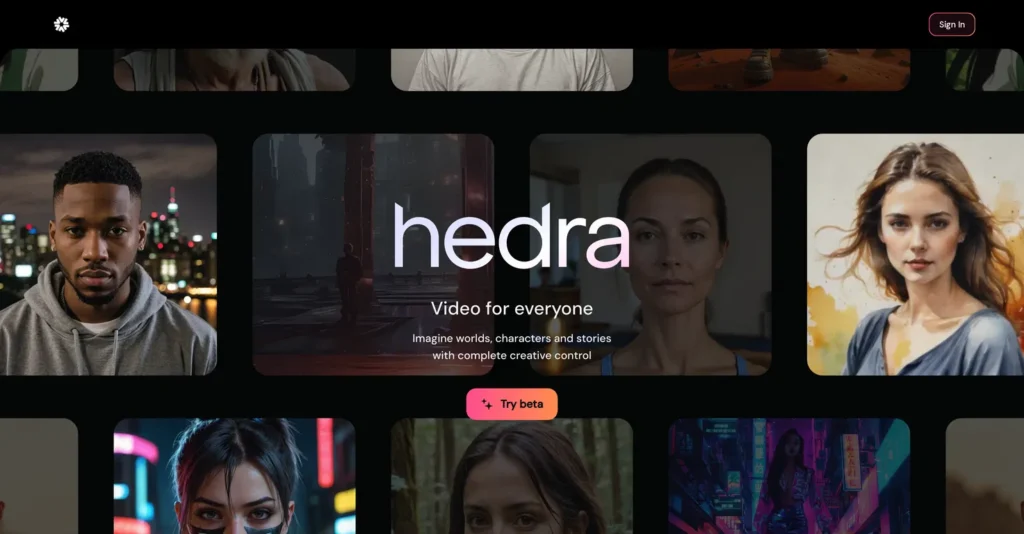
Using Hedra has shown me how powerful avatar video tools can be when they’re done right. I uploaded a clean face photo, wrote a 60‑second script, picked a voice, and the result was convincing: lips moved correctly, facial expressions responded, and the avatar looked consistent. The platform feels polished. Surely, when trying to do rich multi‑character scenes or long videos, the limits show—but for marketing, training, or social snippets, Hedra hits that sweet spot of quality + speed.
Key AI features in Hedra:
Avatar driven video generation (Character‑3) with expressive lip‑sync and facial movement
Multilingual voices and voice swapping in outputs
Support for both text or audio input to drive speech in avatar videos
Avatar customization (style, appearance, mood)
Various export options (different formats/resolutions) depending on plan
Unified studio for image, video, and audio creations so you can build multimodal content without switching tools
Verdict: Great for creators, marketers, educators, or anyone needing a quick and polished avatar video. Hedra delivers very realistic avatar performance, good customization, and supports scaling production without needing professional equipment. If you need long cinematic scenes, multiple actors, or full control over every motion, you’ll find some constraints, but for many use cases Hedra is among the best.

Kling is one of the most powerful AI video generators available in 2025. Built by Tencent’s AI Lab, it can generate high-resolution videos (1080p+) from text prompts with impressive realism. What makes Kling stand out is its physics-based rendering: you get natural movements, reflections, depth, and consistency across frames. It handles multi-scene transitions smoothly and simulates camera angles as if a real director were behind the lens. While the interface remains a bit technical, the results are unmatched in visual fidelity.
Key AI features in Kling:
Text-to-video generation with 3D scene understanding
Physics-based motion (cloth, water, reflections)
Object permanence and natural interaction
Dynamic camera path simulation
High-resolution output (up to 1080p)
Multi-scene coherence
Support for longer clips (5–10 seconds)
Cinematic style presets (in development)
Verdict: Ideal for creators, marketers, and studios seeking cutting-edge realism in AI-generated video. Kling delivers unmatched motion and detail, especially for projects where visual quality is non-negotiable.

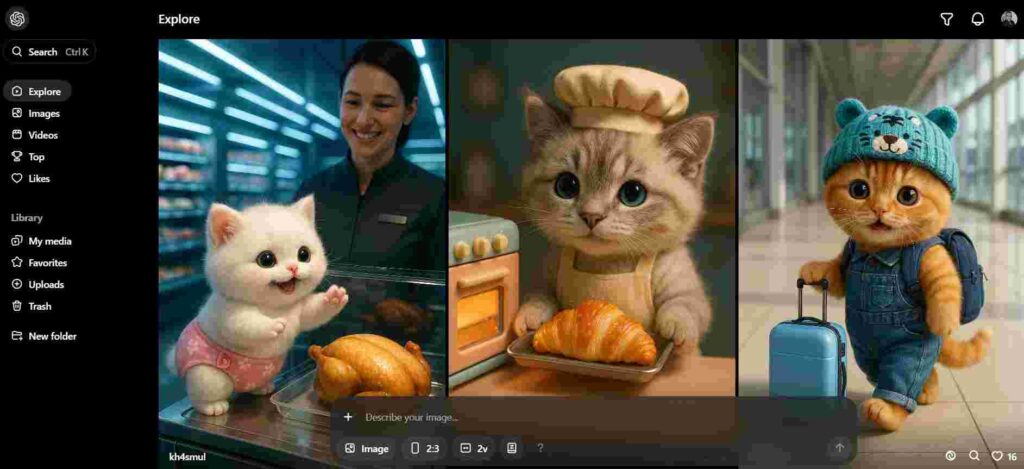
Sora is OpenAI’s most ambitious entry into generative video. It creates visually rich, multi-second videos entirely from a text prompt. Unlike tools that only animate avatars or short clips, Sora understands spatial relationships and simulates depth, camera angles, and object motion. The results feel cinematic and are ideal for storytelling or creative exploration. However, due to its experimental nature, access is currently limited to select creators and partners.
Key AI features in Sora:
Text-to-video with scene coherence
3D spatial and camera path simulation
Object interaction and physics simulation
Multi-character and multi-object support
High-quality visual rendering
Experimental audio integration (in testing)
Verdict:
Great for visionary creatives, storytellers, and designers pushing the limits of generative AI video. While still in beta, Sora points to the future of video production without cameras.
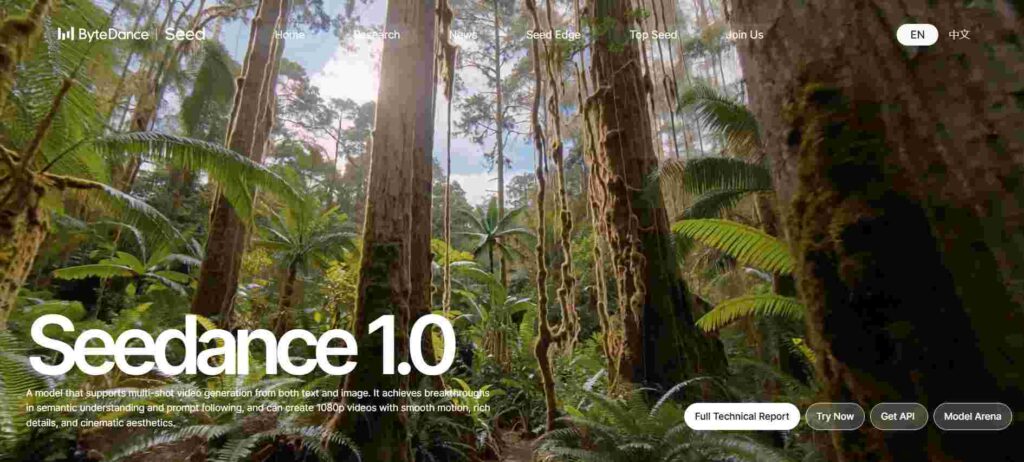
Seedance v1.1 is built for creators who prioritize visual storytelling with motion and mood. When I tested it using a prompt describing an urban sunset with cinematic camera pans, it generated an elegant multi-shot sequence with great continuity and aesthetic depth. The output looked polished, stylish, and impressively close to the prompt description. For anyone creating visual stories, concept art animations, or style-driven content, Seedance stands out with its strong control over camera angles, lighting, and artistic direction.
Key AI features in Seedance v1.1:
Multi-shot storytelling – smooth transitions between different scenes with narrative consistency
Text-to-video & image-to-video generation – supports both creative starting points
Prompt fidelity – maintains subject, style, and motion direction with high accuracy
Visual style presets – choose from realism, fantasy, animation, etc.
Camera control – add zooms, pans, dynamic movements across shots
Supports higher resolutions – up to 1080p in premium tiers
Stylized animation rendering – cinematic effects without manual editing
Verdict: Great for visual creators, animators, and digital artists who want cinematic, short-form video sequences with minimal editing effort. Seedance is ideal for those focusing on visual mood, storyboarding, or animated concept visuals.
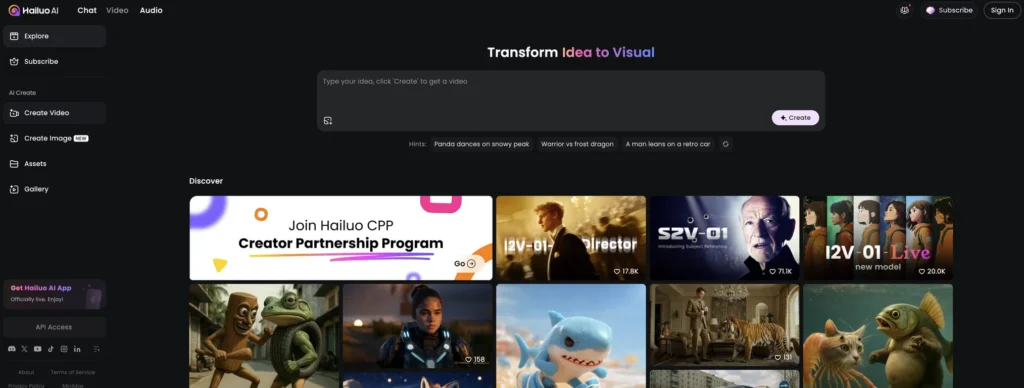
Hailuo AI 2 is an emerging text-to-video generator focused on producing cinematic, realistic clips from simple text prompts. While still relatively new in the market, it positions itself as a high-end solution for creators seeking more expressive motion and visual coherence in AI-generated footage. Its main strength lies in its ability to simulate camera movement and lighting effects that feel naturally human-directed — something many AI video tools still struggle with. The platform supports multi-scene generation, character control, and object consistency, offering a good foundation for storytelling applications. However, because the tool is still in active development, there may be occasional rendering glitches or limitations in scene length and object detail.
Key AI features in Hailuo AI 2:
Text-to-video generation with advanced motion rendering
Support for dynamic camera angles and panning shots
Multi-scene continuity within a single prompt
Environmental lighting simulation
Character behavior modeling (beta)
Object tracking and spatial consistency
High-definition output (currently 720p–1080p)
Scene-to-scene transitions with temporal coherence
Verdict: Hailuo AI 2 is promising for video creators who need dynamic, coherent footage from simple prompts. Best suited for experimentation, concept visuals, or early-stage creative drafts where visual flow is more important than final polish.
Synthesia has established itself as one of the most accessible and reliable AI video generation platforms, particularly in the realm of avatar-based content. It allows users to create professional-looking videos by simply typing a script and selecting from a wide range of digital presenters. The real strength of Synthesia lies in its simplicity: no need for cameras, actors, or editing software. Within minutes, you can produce videos in multiple languages with lip-synced avatars that mimic human speech and gestures convincingly. While it’s not designed for cinematic storytelling or complex motion graphics, Synthesia excels in business, training, and marketing use cases where clarity, speed, and consistency matter most.
Key AI features in Synthesia:
AI avatars with realistic lip-sync and gestures
Support for over 120 languages and accents
Script-to-video workflow with text input only
Brand customization (logos, fonts, colors, backgrounds)
Screen recording and media upload integration
Built-in video templates and voiceover options
Multi-slide video support for structured content
Collaboration tools for teams
Verdict: Synthesia is ideal for businesses and educators looking to scale content creation without production overhead. Perfect for explainer videos, onboarding, internal comms, and localized training.

Fliki is an AI-powered platform that converts text into videos using lifelike voiceovers and visual templates. It’s designed primarily for content creators who want to produce engaging, short-form videos quickly—without needing video editing skills. From scripts and blog posts to product descriptions or social media captions, Fliki transforms plain text into videos with auto-synced narration, stock visuals, and subtitles. While it doesn’t offer avatar-based presenters like Synthesia, it compensates with a strong library of voices and customization options. The platform is especially popular among solo creators, YouTubers, and marketers who need volume and speed over cinematic polish.
Key AI features in Fliki:
Text-to-video generation with natural-sounding voiceovers
1000+ AI voices in 75+ languages and dialects
Library of stock images, clips, and background music
Subtitle generation and translation
Blog-to-video conversion feature
Voice cloning (on higher-tier plans)
Brand kit integration (logo, fonts, color presets)
Vertical and horizontal formats for social media
Verdict: Fliki is a strong choice for creators who need to turn text into audio-visual content fast. Great for social clips, YouTube shorts, product explainers, and multilingual videos.
Best AI Image generator

Pykaso AI is a user-friendly text-to-image generator designed to produce high-quality visuals quickly for social media, blogs, and marketing content. Its main appeal lies in its ease of use: users can generate polished, commercial-ready images from simple prompts in seconds. The tool offers preset styles and composition templates, allowing even non-designers to create visuals that feel consistent and branded. While it doesn’t match the artistic depth of models like Midjourney, Pykaso stands out for its speed, web-based simplicity, and export options optimized for content production workflows.
Key AI features in Pykaso AI:
Text-to-image generation with multiple style presets
Optimized aspect ratios for social platforms (1:1, 16:9, etc.)
Fast rendering engine with preview refinement
Commercial-use license on generated assets
Simple editing tools (crop, text overlay, color tweaks)
Image history and project saving
Web-based interface, no installation needed
Verdict: Pykaso AI is ideal for marketers, solopreneurs, and content creators who need fast, clean images without diving into complex prompts or creative tools.
Freepik’s Image Generator brings AI-powered creativity directly into the workflow of designers and content creators. Integrated into the well-known Freepik ecosystem, this tool allows users to generate custom illustrations, scenes, and visual assets based on textual input—while maintaining the familiar visual identity that Freepik users expect. What sets it apart is the seamless bridge between generated content and editable assets: many outputs are compatible with Freepik’s other tools, like Wepik and editable vector formats. While the generation quality is more stylized than photorealistic, it works well for social media, infographics, and branded marketing visuals.
Key AI features in Freepik Image Generator:
Text-to-image generation with predefined illustration styles
Editable vector and PSD formats for generated images
Integration with Freepik’s design library and assets
Fast rendering optimized for marketing and creative use
Style categories (flat, isometric, sketch, cartoon, etc.)
Commercial use under Freepik licensing (with proper subscription)
One-click editing via Wepik or compatible tools
Batch generation for content workflows
Verdict: Best suited for designers and marketers already in the Freepik ecosystem. It’s a time-saving solution for generating branded visuals, social posts, and explainer graphics at scale.

Gemini Flash 2.5, informally dubbed “Nano Banana,” is Google DeepMind’s most advanced text-to-image model to date. It offers impressive rendering speed and visual fidelity, generating detailed images from short prompts in under a second. The model stands out for its coherence, sharpness, and ability to follow complex prompt instructions with precision. Though still mainly available via Google AI Studio, Gemini Flash is already being integrated into external apps and services via API, enabling other AI tools to build powerful visual features on top of its capabilities. Despite being in early access, its results often rival or outperform other major diffusion models in commercial-grade image generation.
Key AI features in Gemini Flash 2.5:
Ultra-fast text-to-image rendering (sub-second latency)
High fidelity and sharp image outputs
Strong prompt adherence, including abstract or layered concepts
Supports different image ratios (landscape, square, portrait)
Coherent face and hand generation
API access for third-party tool integration
Continuous updates from Google DeepMind’s model releases
Cloud-based interface via Google AI Studio
Verdict: Gemini Flash 2.5 is ideal for developers, creative teams, and AI product builders needing lightning-fast, high-quality image generation at scale. One of the most powerful base models currently available.

Ideogram is a generative image model designed with a specific focus: producing AI images that handle text within visuals—something most AI tools still struggle with. Built by former Google Brain researchers, Ideogram has gained traction for its ability to create logos, posters, and social content where typography is a core component. Whether you’re trying to generate a t-shirt mockup, YouTube thumbnail, or brand concept, Ideogram offers a clean interface and outputs that balance creativity with legibility. While its realism doesn’t match models like Midjourney, its control over written content inside images makes it a go-to tool for content creators and marketers alike.
Key AI features in Ideogram:
Text-to-image generation with high-quality embedded text
Specialized in logos, posters, and mockups
Style presets (bold, minimal, futuristic, graffiti, etc.)
Multiple image variations per prompt
Image upscaling for download
Clean, web-based interface with prompt history
Prompt remixing and community galleries
Currently focused on square (1:1) format
Verdict: A standout tool for designers and creators who need reliable AI-generated images with readable, styled text. Perfect for branding, marketing visuals, and digital content mockups.

Midjourney remains one of the most artistically compelling AI image generators available in 2025. Known for its signature visual style and attention to detail, it consistently produces striking, imaginative images from even the most abstract prompts. Unlike most tools in its category, Midjourney runs entirely through Discord, offering a prompt-first experience that favors creators who enjoy tweaking and refining outputs. The tool is particularly popular among designers, concept artists, and creative directors who use it for moodboards, illustrations, and visual storytelling. While it lacks fine control over things like hands or text rendering, its artistic direction and aesthetic quality remain unmatched.
Key AI features in Midjourney:
Text-to-image generation with strong artistic bias
Unique, cinematic style across outputs
Support for stylization and parameter tweaking
Fast upscaling and image variation commands
Prompt remixing with community prompts
Regular model updates (v6, v6.1, etc.)
Native aspect ratio control and image blending
Exclusive Discord-based interaction model
Verdict: Midjourney is best for creatives who value originality, mood, and style over realism. It excels in concept art, speculative design, and visually rich storytelling.
Best AI website builder
Framer has evolved into one of the most intuitive AI website builders for creators and startups looking to launch polished sites without writing code. The platform combines a powerful visual editor with generative AI that can create full websites from simple text prompts. Unlike many traditional builders, Framer outputs clean, responsive layouts with built-in animations and seamless mobile optimization. Users can adjust structure, style, and content visually or switch to custom code if needed. It’s particularly popular for portfolios, product sites, and landing pages, where design quality and speed matter most.
Key AI features in Framer:
AI-powered website generation from natural language prompts
Responsive design out-of-the-box
Drag-and-drop visual editor with real-time preview
Built-in animations and scroll effects
Custom fonts, components, and design system support
Hosting, custom domains, and SEO controls included
Collaboration tools for teams and clients
Code export and third-party integrations (beta)
Verdict: Framer is ideal for designers, marketers, and startups that want beautiful, high-converting websites fast—without compromising on design control or modern UI trends.
10Web is an AI-powered website builder built on top of WordPress, targeting small businesses and freelancers who want full control over their site without hiring a developer. Its standout feature is the ability to instantly recreate or generate websites using AI—from scratch or based on a URL. The tool automates layout, content, and design while retaining the flexibility and ecosystem of WordPress. Unlike no-code platforms, 10Web offers advanced customization through familiar plugins and themes, making it a strong bridge between AI speed and traditional CMS power.
Key AI features in 10Web:
AI website builder that recreates any site from a URL
Text-to-website generation using natural prompts
Based on WordPress with access to themes and plugins
PageSpeed Booster for automatic performance optimization
Drag-and-drop Elementor integration
eCommerce support via WooCommerce
AI-generated content blocks and text suggestions
Hosting, security, and backup included in the platform
Verdict: 10Web is perfect for business owners and freelancers who want AI speed without leaving the WordPress environment. Best suited for service websites, local businesses, and eCommerce starters.
Pricing
Best AI App builder
10Web is an AI-powered website builder built on top of WordPress, targeting small businesses and freelancers who want full control over their site without hiring a developer. Its standout feature is the ability to instantly recreate or generate websites using AI—from scratch or based on a URL. The tool automates layout, content, and design while retaining the flexibility and ecosystem of WordPress. Unlike no-code platforms, 10Web offers advanced customization through familiar plugins and themes, making it a strong bridge between AI speed and traditional CMS power.
Key AI features in 10Web:
AI website builder that recreates any site from a URL
Text-to-website generation using natural prompts
Based on WordPress with access to themes and plugins
PageSpeed Booster for automatic performance optimization
Drag-and-drop Elementor integration
eCommerce support via WooCommerce
AI-generated content blocks and text suggestions
Hosting, security, and backup included in the platform
Verdict: 10Web is perfect for business owners and freelancers who want AI speed without leaving the WordPress environment. Best suited for service websites, local businesses, and eCommerce starters.
Pricing
Lovable is a minimalist AI app builder focused on turning ideas into simple, elegant web applications in just minutes. Designed for creatives, founders, and early-stage product designers, Lovable lets you describe your app in plain language and instantly generates both the backend logic and frontend UI. The standout feature is speed: you can go from idea to live prototype in under 10 minutes. While it’s not intended for highly complex applications, it’s ideal for landing pages, basic tools, internal apps, and MVPs. The interface is lightweight, clean, and built to reduce friction—ideal for validating concepts without overbuilding.
Key AI features in Lovable:
Natural language to live web app generation
Auto-generated database, routes, and layouts
Custom domain support and instant deployment
Templates for common use cases (forms, dashboards, tools)
One-click editing of components and logic
Clean, modern UI with built-in responsiveness
Versioning and history tracking
Private or public app sharing options
Verdict: Lovable is best for solo builders and product people who want to test and ship quickly. It shines in speed, simplicity, and early product validation.
Pricing
Best AI assistant
ChatGPT, developed by OpenAI, remains the most widely used AI assistant in 2025. Built on the GPT-4 (and now GPT-4o) architecture, it powers conversations, content creation, ideation, and technical support across millions of use cases. Accessible via web and mobile apps, ChatGPT provides fluid, human-like responses and can switch between casual dialogue, structured output, or deep reasoning. One of its major strengths is tool integration: users with the Pro plan gain access to advanced capabilities like code interpretation, web browsing, image analysis, and file uploads. While not perfect, especially in edge cases or real-time data needs, ChatGPT’s versatility makes it the go-to assistant for students, professionals, and businesses alike.
Key AI features in ChatGPT:
Conversational AI based on GPT-4 and GPT-4o
Multimodal input (text, images, files, links)
Code interpreter (Python sandbox)
Access to web browsing and up-to-date data (Pro only)
File analysis and structured data handling
Contextual memory and prompt history
Prebuilt personas and GPTs (custom agents)
Mobile apps and desktop access
Verdict: ChatGPT is the most versatile general-purpose AI assistant available. Best for anyone needing reliable writing help, brainstorming, productivity, or custom GPT workflows.

Grok is X (formerly Twitter)’s native AI assistant, designed to offer real-time, conversational insights directly within the platform. Built by xAI and leveraging Elon Musk’s open-ended AI vision, Grok is tightly integrated into the X ecosystem, allowing users to ask questions, generate summaries, or explore trending content with contextual understanding. What makes Grok stand out is its direct access to X’s live data—giving it a real-time edge for news, events, and sentiment analysis. While its interface is minimalist and still evolving, Grok is particularly useful for users who rely on X as a primary news and content source.
Key AI features in Grok:
Real-time assistant embedded in the X platform
Access to live trends, posts, and user content
Natural language answers based on current events
Conversational summarization of long threads or articles
Casual, sometimes irreverent tone by design
Available inside X Premium+ subscription
No external app—fully integrated with X’s mobile and web UI
Early-stage tool with ongoing model updates
Verdict: Grok is best for active X users who want a contextual, in-platform assistant to explore content, trends, and conversations with AI-enhanced perspective.
Pricing
Claude, developed by Anthropic, is an AI assistant focused on safety, long-context understanding, and business-friendly interactions. The latest version, Claude 3, supports extremely long documents (up to 200K tokens), making it ideal for complex tasks like contract review, technical writing, or analyzing datasets. Unlike some assistants that aim to entertain or replicate casual speech, Claude maintains a more neutral and precise tone—preferred by professionals and enterprise users. Its web interface is simple and distraction-free, and Claude is now integrated into several productivity platforms. While it’s slightly less creative than ChatGPT in some cases, it shines in reliability and context retention.
Key AI features in Claude:
Long-context comprehension (up to 200K tokens)
Fast, structured outputs for complex tasks
Privacy-first approach with safety at the core
Strong performance in summarization and document analysis
Web interface + API access for developers
Integrations with tools like Notion and Slack (in progress)
Claude Instant (faster, cheaper variant) and Claude Opus (flagship model)
No image input or code execution yet
Verdict: Claude is ideal for professionals needing a highly capable AI assistant for serious work—contracts, research, business documentation—where precision matters more than personality.
Gemini is Google’s family of AI assistants, built on its most advanced language models and integrated across the company’s ecosystem. Available via web, Android, and Gmail/Docs, Gemini combines conversational AI with deep access to Google’s tools—making it particularly useful for productivity, research, and task execution. The latest model, Gemini 1.5 Pro, features long-context handling and multimodal input, enabling users to upload files, analyze data, interpret images, and interact with code. Gemini’s tight coupling with Google Workspace allows it to draft emails, summarize documents, or automate workflows within familiar tools. While still catching up to ChatGPT in some creative tasks, it excels in search-informed responses and integration depth.
Key AI features in Gemini:
Multimodal AI assistant (text, code, image, documents)
Deep integration with Google Workspace (Docs, Gmail, Sheets)
File upload and PDF analysis
Access to Google Search and real-time web info
Gemini 1.5 Pro supports long-context reasoning
Available on Android as default assistant
Code assistance with execution previews
Workspace-level automations (in development)
Verdict: Gemini is best for users embedded in the Google ecosystem who want a powerful AI assistant for productivity, research, and seamless document handling.
H2

The Semrush Content Toolkit is an all-in-one SEO writing assistant designed to help marketers, editors, and content strategists plan, write, optimize, and audit content that ranks. Rather than being a single AI writer, it’s a suite of integrated tools—including topic research, keyword clustering, content planning, writing assistant, and plagiarism checkers—all working together to align copy with SEO best practices. What makes it stand out is its data-driven approach: everything from tone of voice suggestions to readability scoring is backed by Semrush’s massive keyword and SERP database. While the content generation itself is not as creative as standalone AI tools, the depth of guidance makes it invaluable for SEO-focused teams.
Key AI features in Semrush Content Toolkit:
Keyword research and topic clustering
AI-powered SEO Writing Assistant with tone/readability checks
Competitive gap analysis and content scoring
Real-time optimization tips based on top SERPs
Plagiarism detection and originality scoring
Integration with Google Docs and WordPress
Brief builder and content planner for teams
Multilingual support for international SEO
Verdict: Semrush Content Toolkit is ideal for SEO teams, agencies, and content marketers who need to consistently produce high-ranking, optimized articles backed by real data.
Pricing

Writesonic is an AI writing platform designed to produce high-quality SEO content at scale. Powered by its own fine-tuned large language model (and access to GPT-4), Writesonic helps marketers, freelancers, and agencies generate blog posts, product descriptions, landing page copy, and more. What differentiates it from generic AI writers is its built-in SEO mode, SurferSEO integration, and the ability to generate long-form articles optimized for specific keywords. It also offers chatbot builders and tools for rewriting, summarizing, or localizing content across multiple languages. While the output may still require editing for brand voice or nuance, Writesonic accelerates the content production process dramatically.
Key AI features in Writesonic:
AI article and blog writer with SEO optimization
Built-in keyword targeting and topic expansion
Integration with SurferSEO and WordPress
Chatsonic (AI chatbot alternative to ChatGPT)
AI content rewriter and expander
Landing page and ad copy generator
Multilingual support (25+ languages)
API access and team collaboration features
Verdict: Writesonic is a strong choice for content marketers who need SEO-friendly, scalable copy fast—especially when paired with keyword tools and publishing platforms.
Pricing
Best AI chatbot
Chaindesk is a no-code AI chatbot builder focused on helping businesses create custom assistants trained on their own data. Users can upload documents, connect websites, or link to Notion and Google Docs, allowing the chatbot to answer questions and provide support based on internal knowledge. The platform supports multilingual chatbots, embeddable widgets, and API access—making it suitable for customer support, internal helpdesks, or product documentation. What makes Chaindesk especially valuable is its ease of setup: non-technical users can train and deploy a chatbot in minutes without writing a single line of code.
Key AI features in Chaindesk:
No-code chatbot creation
Connects to documents, URLs, Notion, and Google Docs
Custom data ingestion and live sync options
Multilingual support (over 80 languages)
Embeddable chat widget for websites
API access for advanced integrations
Agent handoff to human support (via tools like Intercom)
Analytics dashboard for chatbot usage and feedback
Verdict: Chaindesk is ideal for startups, SaaS platforms, and support teams looking to deploy a smart, self-service chatbot that actually understands their data.
Pricing

Fastbots V2.5 is a fast-deploy AI chatbot builder designed for customer-facing businesses that need instant, reliable, and data-aware virtual assistants. The platform supports PDF uploads, website crawling, and integration with help centers or product documentation, making it easy to build bots that actually answer specific user questions. One of Fastbots’ core strengths is its speed—both in setup and response time. You can launch a functioning chatbot in under 5 minutes and customize its appearance, tone, and fallback logic. While it’s not as advanced in agent orchestration as enterprise-grade platforms, it’s a solid choice for SMBs that need performance over complexity.
Key AI features in Fastbots V2.5:
Quick chatbot deployment (under 5 minutes)
Data ingestion via PDFs, URLs, and Help Center links
Customizable chat widget (colors, logo, tone)
Multilingual support and translation
Smart fallback logic and user intent detection
Real-time analytics and conversation logs
Embeddable widget and iframe support
Zapier integration for workflows
Verdict: Fastbots V2.5 is best for small to mid-sized businesses needing a fast, capable chatbot trained on their own content. Great for FAQs, onboarding, and product support.
Pricing
Best AI search Engine
Google AI Mode is the generative search experience now integrated into Google Search, offering AI-powered summaries and contextual answers at the top of results pages. Rather than listing just links, AI Mode provides synthesized overviews, bullet-point breakdowns, and follow-up suggestions—based on your query and real-time indexed content. This transforms search from keyword-matching to intent-based information delivery. While still being rolled out globally, the feature is already reshaping how users discover, compare, and understand complex topics. It’s not a replacement for traditional search but a powerful layer that sits above it.
Key AI features in Google AI Mode:
Generative AI summaries on top of search results
Follow-up question suggestions and topic exploration
Real-time content synthesis from indexed pages
Highlighted sources and “expand” toggle for transparency
Available on both mobile and desktop
Adaptive layout depending on query type (informational vs. transactional)
Integrated into Search Labs for early testing
Multilingual and region-based deployment
Verdict: Google AI Mode is ideal for users who want quick, contextual answers without clicking through multiple pages. A game-changer for research, comparisons, and complex query resolution.
Pricing
Perplexity is an AI-powered search engine designed to deliver direct, sourced answers to complex questions. Blending conversational AI with real-time web access, it acts more like a research assistant than a traditional search engine. Users enter natural language queries and receive a concise answer, supported by citations from verified online sources. What sets Perplexity apart is its ability to handle follow-up questions in context, maintaining the thread of a conversation across multiple prompts. It’s particularly popular among researchers, journalists, and students looking for clarity, accuracy, and speed in information retrieval.
Key AI features in Perplexity:
Real-time search with source citations
Follow-up question support and conversation memory
Summarization of web pages and documents
Modes for academic, pro, and casual search intents
Image and code understanding (Pro version)
Clean, ad-free interface
Available on web and mobile apps
Pro access to advanced LLMs (GPT-4, Claude, etc.)
Verdict: Perplexity is ideal for knowledge workers and curious minds who value fast, accurate answers with clear sources. A serious alternative to Google for deep or technical research.
Pricing

ChatGPT Search is the web browsing and search capability integrated into OpenAI’s ChatGPT for Pro users. Powered by GPT-4o and real-time access to the web, it allows users to ask current, specific, or data-driven questions and receive synthesized, natural language answers—often with source citations. Unlike traditional search engines, ChatGPT Search filters, summarizes, and contextualizes multiple sources instantly. This makes it especially effective for researching trends, comparing tools, or retrieving recent updates without scanning through multiple links. While not designed for shopping or highly visual searches, it’s a powerful assistant for information-driven tasks.
Key AI features in ChatGPT Search:
Live web browsing with real-time search
Synthesized answers with link references
Context-aware follow-up support
Available inside ChatGPT (Pro users only)
Summarization of articles and complex pages
Ideal for research, fact-checking, and competitive analysis
Clean interface with natural Q&A format
Powered by Bing browsing infrastructure
Verdict: ChatGPT Search is perfect for professionals and researchers who want fast, structured answers from the web—without combing through cluttered search results.
Pricing
Best AI for Graphic Design
Canva Magic Studio is the AI-powered creative suite integrated into Canva, designed to help users generate visuals, copy, videos, and presentations with minimal effort. It blends generative AI tools—like Magic Write, Magic Design, and Magic Edit—into the familiar Canva interface, allowing for rapid content creation across formats. Whether you’re crafting social media posts, pitch decks, or ad creatives, Magic Studio accelerates the process by generating suggestions, layouts, and even complete designs from simple inputs. Its strength lies in accessibility: non-designers can produce professional assets without needing external tools or complex workflows.
Key AI features in Canva Magic Studio:
Magic Write: AI copy generation inside any design
Magic Design: Create layouts from text prompts
Magic Edit: Modify images using generative fill
Magic Animate: Add smart animations to static visuals
AI-powered background remover and object replacement
Text-to-image and text-to-video generation
Brand kit integration for consistent visual identity
Real-time collaboration and sharing
Verdict: Canva Magic Studio is ideal for marketers, social media managers, and small businesses that need to produce branded content fast—without relying on multiple tools or agencies.
Pricing
Looka is an AI-powered brand identity generator that helps users create logos, brand kits, and marketing assets in just a few clicks. Designed for startups, freelancers, and entrepreneurs, Looka simplifies the branding process by generating multiple logo concepts based on user preferences—then expanding them into full visual kits with typography, color palettes, business cards, social media assets, and more. While customization options are more limited than with manual design tools, Looka’s speed and ease of use make it a solid choice for early-stage branding without hiring a designer.
Key AI features in Looka:
AI-generated logo design based on user inputs
Instant brand kit creation (fonts, colors, templates)
Export assets for web, print, and social media
Mockups for business cards, email signatures, and merch
Logo customization with drag-and-drop editing
One-click brand previews across different use cases
No design experience required
Option to buy just a logo or full brand kit
Verdict: Looka is best for founders and small businesses looking to launch quickly with a clean, professional brand identity—without the cost or delay of traditional design processes.
Pricing
Best AI for Coding
Replit is an AI-enhanced online coding environment designed to help developers build, test, and deploy applications directly from the browser. Its standout feature is Ghostwriter—an AI coding assistant that provides real-time code suggestions, autocompletions, and debugging tips. Unlike traditional IDEs, Replit is cloud-based and collaborative, allowing teams to work together on code in real time. It supports over 50 programming languages and offers instant hosting for web apps, making it a favorite among indie hackers, educators, and full-stack developers looking for speed and accessibility.
Key AI features in Replit:
Ghostwriter: AI code completion and explanations
Real-time code collaboration
Instant deployment and hosting for web apps
Multilanguage support (Python, JS, C++, etc.)
Package manager and database integration
Browser-based IDE with terminal access
Version control and forkable templates
Replit Apps for public sharing and monetization
Verdict: Replit is ideal for developers, students, and indie builders who want to go from idea to deployed product fast—all from the browser, with AI support baked in.
Pricing
Cursor is an AI-native code editor built on top of VS Code, designed to seamlessly integrate large language models into the developer workflow. It goes beyond autocomplete by enabling developers to ask natural language questions, refactor code, generate functions, or understand unfamiliar codebases directly within the editor. Unlike generic AI assistants, Cursor has deep context awareness—tracking file structures, dependencies, and recent edits—to deliver tailored suggestions and explanations. Its strength lies in keeping you in flow: AI becomes a coding partner, not just a prompt box.
Key AI features in Cursor:
AI code assistant embedded in VS Code interface
Smart autocompletion with full project context
Explain, refactor, and generate code on demand
Inline chat for commenting and documentation
Multi-file understanding and dependency tracking
Seamless Git integration
Works locally with private codebases
Supports GPT-4, Claude, and custom models
Verdict: Cursor is perfect for developers who want a deeply integrated, context-aware AI coding assistant—ideal for fast prototyping, debugging, and working with large codebases.
Pricing
Best AI for Knowledge management
Notion Q&A is the AI-powered knowledge assistant built directly into Notion’s workspace, designed to help teams instantly find answers across their notes, docs, wikis, and projects. Instead of searching manually, users can ask natural language questions and get accurate, context-aware responses based on their organization’s internal content. What sets it apart is its native understanding of Notion’s structure—sections, pages, databases—and its ability to summarize, surface action items, or explain decisions based on team documentation. It keeps everything private, making it ideal for internal use across teams.
Key AI features in Notion Q&A:
Natural language Q&A over internal Notion content
Summarization of meeting notes, docs, and decisions
Contextual understanding of linked pages and databases
Instant answers without manual search
Works across wikis, tasks, and project pages
Fully integrated with Notion AI features
Private to your workspace (no public data used)
Works with team permissions and access levels
Verdict: Notion Q&A is ideal for teams using Notion as their knowledge base—saving time by turning documentation into an instantly accessible, intelligent assistant.
Pricing
Guru is an AI-powered internal knowledge management platform designed to capture, organize, and surface critical information across teams. Unlike static wikis, Guru works proactively—surfacing relevant answers directly where employees work (Slack, email, CRM, etc.). It uses AI to suggest cards, auto-tag content, and ensure knowledge stays up to date through verification workflows. Guru is especially valuable for scaling companies that need consistent messaging, process documentation, and onboarding without the overhead of constant manual updates. Its AI assistant helps retrieve precise answers from company knowledge instantly, improving team efficiency and response times.
Key AI features in Guru:
AI-powered internal search and answer retrieval
Smart suggestions in tools like Slack, Zendesk, and Chrome
AI summarization of content and knowledge cards
Automated card verification and content freshness alerts
Browser extension for real-time in-context answers
Templates and workflows for team knowledge capture
Usage analytics to identify content gaps
Secure workspace with permission controls
Verdict: Guru is perfect for customer support, sales, and ops teams who need accurate, instant knowledge at their fingertips—without digging through shared drives or wikis.
Pricing
Best Email writing AI
HubSpot Email Writer is an AI-powered tool integrated into HubSpot’s marketing platform, built to help users craft personalized, effective email campaigns in seconds. It generates subject lines, body content, CTAs, and even follow-up sequences based on your goals, audience, and brand tone. Because it’s natively tied to HubSpot’s CRM, the tool can pull in customer data to generate highly relevant content with minimal manual input. While it doesn’t replace a complete email strategy, it significantly reduces writing time and ensures alignment with performance best practices.
Key AI features in HubSpot Email Writer:
AI-generated email copy based on campaign goals
Subject line and CTA generation with optimization tips
Personalization using CRM data (name, company, behavior)
Multi-language support for global campaigns
Integration with workflows and marketing automation
Tone selection and brand consistency tools
Performance suggestions based on past engagement
Works across marketing and sales hubs
Verdict: HubSpot Email Writer is best for marketers and sales teams already using HubSpot who want to streamline email creation without sacrificing personalization or quality.
Pricing
Fyxer is an AI-powered virtual assistant platform that offers email writing as one of its core services, tailored especially for executives, founders, and busy professionals. Rather than being just a copy generator, Fyxer functions as a full digital assistant that learns your tone, preferences, and routines over time. It drafts, replies to, and manages emails on your behalf—with a human-in-the-loop setup for review and precision. The tool is ideal for professionals who want to delegate inbox management while maintaining a consistent voice and quick response rate.
Key AI features in Fyxer:
Smart email drafting and reply suggestions
Personalized tone and writing style adaptation
Human assistant oversight and quality control
Calendar integration for scheduling replies
Inbox prioritization and triage support
Integration with Gmail and Outlook
Custom workflows for recurring email types
Confidentiality and enterprise-grade data security
Verdict: Fyxer is ideal for high-level professionals who need to offload email tasks to a reliable AI + human assistant combo—without compromising tone or accuracy.
Pricing
Shortwave is a modern, AI-powered email client built to bring speed, clarity, and automation to your Gmail inbox. Designed for professionals and teams, it transforms email into an organized, conversational workspace—offering smart summaries, auto-replies, and AI-generated drafts. The interface is clean and fast, with a focus on batching, prioritization, and lightning-quick navigation. Unlike traditional email tools, Shortwave treats threads like chat conversations and uses AI to keep communication flowing efficiently, even in high-volume inboxes.
Key AI features in Shortwave:
AI email summarization for long threads
Smart reply and full-message draft generation
Prioritized inbox with AI-based sorting
Snooze, pin, and label workflows with natural language commands
Gmail sync with no data migration
Real-time collaboration on emails (shared inboxes)
Command palette for power users
Mobile and desktop apps for unified experience
Verdict: Shortwave is best for professionals and teams overwhelmed by email volume—offering AI tools that boost productivity without changing your Gmail foundation.
Pricing
Best AI scheduling assistant
Reclaim is an AI-driven smart scheduling assistant built to help busy professionals and teams automatically find time for their most important tasks. It integrates with your Google Calendar to auto-schedule habits, deep work, meetings, and breaks—while dynamically adapting as your week evolves. What sets Reclaim apart is its ability to balance flexibility and structure: it protects focus time, avoids overbooking, and reprioritizes tasks based on urgency and context. With smart integrations and productivity analytics, it becomes more than just a calendar—it’s a time management engine.
Key AI features in Reclaim:
Auto-scheduling of tasks, habits, and meetings
Smart conflict resolution and calendar reshuffling
Focus time blocking with automatic adjustments
Predictive planning based on priority and deadlines
Team calendar syncing and shared availability
Real-time buffer adjustments and commute time logic
Slack integration for smart status updates
Productivity insights and weekly reporting
Verdict: Reclaim is perfect for individuals and teams who want to take back control of their schedules—automating the “when” so they can focus on the “what.”
Pricing
Clockwise is a smart calendar assistant designed to optimize your schedule around focus time, team availability, and meeting priorities. It integrates directly with Google Calendar to automatically rearrange events, minimize context switching, and maximize uninterrupted blocks of time. Clockwise stands out for its team-oriented features—like shared focus time alignment and smart meeting rescheduling—making it a strong choice for collaborative environments. With intelligent notifications and analytics, it helps professionals and teams reclaim control of their workday without micromanaging their calendar.
Key AI features in Clockwise:
Automatic meeting rescheduling based on preferences
Focus time protection and calendar optimization
Syncs work hours, meeting hours, and personal preferences
Team calendar coordination and shared focus windows
AI-based prioritization and scheduling flexibility
Smart conflict resolution and buffer time insertion
Google Calendar integration with minimal setup
Analytics dashboard for time spent in meetings vs. focus
Verdict: Clockwise is ideal for teams and professionals who juggle frequent meetings and need to carve out more deep work time—without calendar chaos.
Pricing
Best AI tools for generating slide decks
Gamma is an AI-powered presentation and document builder that creates visually engaging slides and one-pagers from simple text prompts. Unlike traditional tools like PowerPoint or Google Slides, Gamma focuses on structure and storytelling first—automatically generating layouts, images, and content blocks that adapt to your topic. It’s especially useful for professionals who want to build clean, modern decks quickly without spending hours designing. The interface is web-based and collaborative, allowing for easy sharing, feedback, and live editing.
Key AI features in Gamma:
AI slide generation from text or bullet points
Smart layouts and modern design templates
Built-in image, icon, and chart generation
One-click presentation mode and mobile optimization
Real-time collaboration and feedback tools
Embedding of multimedia (videos, GIFs, links)
Interactive elements like buttons and toggles
Export to PDF or embed on websites
Verdict: Gamma is ideal for consultants, marketers, and educators who want to turn ideas into polished presentations—fast, with minimal design effort.
Pricing
Copilot for PowerPoint is Microsoft’s integrated AI assistant for creating and editing presentations directly within PowerPoint. Powered by the same technology behind GPT-4, Copilot can generate slide content, rewrite text, summarize documents into presentations, and suggest layouts or visuals—all from a short prompt or existing material. It excels at turning dense content into clear slides with bullet points, charts, and visuals aligned to Microsoft’s design best practices. Especially useful for professionals, executives, and educators, Copilot streamlines the slide creation process without requiring design expertise.
Key AI features in Copilot for PowerPoint:
AI slide generation from text, outlines, or documents
Content rewriting and tone adjustment
Visual suggestions (charts, icons, SmartArt)
Document-to-presentation summarization
Real-time editing within PowerPoint desktop and web
Integration with Microsoft 365 and OneDrive
Formatting consistency and design recommendations
Support for speaker notes and slide summaries
Verdict
Best resume builder
Teal is an AI-powered resume builder and job search platform designed to help professionals tailor their resumes, cover letters, and applications with precision. What sets Teal apart is its emphasis on customization: users can generate multiple resume versions based on job descriptions, track applications, and get AI feedback on language, clarity, and impact. The platform also offers keyword optimization and LinkedIn profile alignment, making it a full toolkit for job seekers who want to stand out in a competitive market.
Key AI features in Teal:
Resume builder with job-specific tailoring
AI optimization based on job descriptions and keywords
Cover letter generation and editing suggestions
Career history management and resume versioning
LinkedIn profile analyzer and improvement tips
ATS (Applicant Tracking System) compliance checker
Job tracker and application workflow manager
Browser extension for saving job listings
Verdict: Teal is perfect for professionals looking to personalize every job application—ideal for those applying to multiple roles and industries with high competition.
Pricing
Kickresume is a design-focused AI resume builder that helps users create visually striking resumes, cover letters, and personal websites with ease. The platform combines professional templates with AI-generated content suggestions, allowing job seekers to build polished application materials in minutes. Kickresume stands out for its library of recruiter-approved resume examples and its ability to generate resumes in multiple languages. It also offers portfolio pages and analytics to track resume performance, making it useful not just for getting hired—but for managing your personal brand.
Key AI features in Kickresume:
AI-generated resume and cover letter content
35+ professionally designed resume templates
Resume builder with real-time preview and editing
Examples from top companies like Google and Tesla
Personal website generator for portfolio and CV
Multi-language support for global applications
Grammar checker and keyword optimization
Export to PDF or online link with analytics
Verdict: Kickresume is ideal for creative professionals, students, and international applicants who want standout, design-rich resumes backed by smart AI guidance.
Pricing
Best Text to speech AI
ElevenLabs is a leading AI text-to-speech platform known for its ultra-realistic voice synthesis and multilingual capabilities. It enables users to generate natural-sounding audio from text, clone voices, and even create synthetic characters for audiobooks, podcasts, games, or video content. What makes ElevenLabs stand out is its emotional range, pacing control, and clarity across different languages and accents. It’s widely used by content creators, educators, and developers looking for studio-quality voiceovers without recording equipment or voice actors.
Key AI features in ElevenLabs:
High-quality text-to-speech in 29+ languages
Voice cloning from short samples
Emotion control and natural speech modulation
Custom voice creation with unique profiles
API access for integration into apps and workflows
Real-time voice generation and previews
Fine-tuning of pitch, speed, and pauses
Audio export for commercial use
Verdict
Murf is a professional-grade AI voiceover platform that transforms written scripts into studio-quality narration using realistic synthetic voices. Targeted at marketers, educators, and content producers, Murf offers a wide range of voice styles, accents, and tones, as well as tools for syncing voice with visuals. One of its strengths is the ability to fine-tune pronunciation, pacing, and emphasis—making it suitable for everything from e-learning modules to explainer videos and podcasts. Unlike simpler text-to-speech tools, Murf feels more like a full audio production studio in the cloud.
Key AI features in Murf:
120+ realistic AI voices across 20+ languages
Voice customization with pitch, speed, and emphasis control
Script editor with preview and real-time playback
Timeline-based voice and audio syncing
Voice changer to convert recorded audio into AI voices
Background music library and sound mixing
Collaboration tools for teams and clients
Commercial license included in paid plans
Verdict
Best AI Music generator
Suno is an AI music generation platform that creates fully produced songs—melody, lyrics, vocals, and instrumentation—from a simple text prompt. Built for musicians, creators, and curious hobbyists, Suno stands out for its ability to deliver complete, radio-style tracks in various genres with surprising quality and coherence. Unlike tools that generate only instrumental loops, Suno outputs full-length songs with AI vocals, harmonies, and musical structure. It’s especially appealing for content creators, game designers, and marketers who need custom audio quickly and affordably.
Key AI features in Suno:
Full song generation from text prompts
Includes melody, lyrics, vocals, and music
Style and genre customization (pop, rap, rock, EDM, etc.)
Voice model options for different vocal tones
Automatic chorus/verse structuring
Fast rendering (under a minute per song)
Web-based interface with instant playback
Track export in high-quality audio formats
Verdict: Suno is ideal for creators who need fast, original music for videos, games, or branding—no musical background required.
Pricing
Udio is an advanced AI music generator that allows users to create full songs—including vocals, lyrics, and instrumentals—based on short text prompts. Developed with artists and creators in mind, Udio focuses on delivering high-quality, structured tracks that feel intentional rather than randomly assembled. Users can choose from various styles, guide lyrical themes, and generate multiple variations of the same idea. Unlike loop-based generators, Udio produces full arrangements with intros, verses, choruses, and coherent progressions, making it ideal for creative professionals and sound designers alike.
Key AI features in Udio:
Text-to-music generation with full song structure
AI-generated vocals with lyrical alignment
Genre selection and lyrical theme control
Multiple versions of the same track for iteration
Audio export for use in videos, podcasts, games
User-friendly interface with fast generation times
Collaborative tools and shared track galleries
Support for custom prompts and fine-tuning
Verdict: Udio is best for creators seeking to generate unique, high-quality tracks for creative projects—offering more structure and nuance than most AI music tools.
Pricing
Best AI content generator
AdCreative is an AI-powered platform that generates high-performing ad creatives and social media visuals optimized for conversions. It’s designed for marketers, agencies, and e-commerce brands looking to streamline the ad design process across platforms like Meta, Google, and LinkedIn. Users input their product info, audience, or campaign goals, and the tool produces ready-to-use visuals and ad copy variants in seconds—complete with performance scoring. Unlike generic design tools, AdCreative focuses on data-backed creativity, using AI models trained on millions of high-performing ads to guide layouts, colors, and messaging.
Key AI features in AdCreative:
AI-generated ad creatives for multiple formats and platforms
Copywriting assistant for headlines and CTAs
Predictive performance score for each design
Brand kit integration for consistent style
Multi-language support for global campaigns
Team collaboration and versioning tools
Integrations with Meta Ads, Google Ads, and Shopify
Creative insights based on campaign performance
Verdict: AdCreative is ideal for performance marketers and small teams who want to generate and test ad visuals fast—without relying on a designer.
Pricing
AirOps is an AI content automation platform designed for data-driven teams who need to generate, transform, and scale content workflows at speed. Built with a focus on operational efficiency, it allows users to build custom AI workflows for SEO, e-commerce, marketing, and internal documentation—all without writing code. What makes AirOps unique is its table-based editor and API-first approach: users can upload spreadsheets, apply AI-powered transformations, and export clean content at scale. It’s especially useful for teams managing thousands of pages, product listings, or content variants.
Key AI features in AirOps:
Table-based content editor for structured workflows
Custom AI workflows for SEO, product descriptions, landing pages
Bulk generation and rewriting of content
Real-time preview and content versioning
Multi-language support and tone customization
Data import/export via CSV, API, or integrations
Template builder with prompt chaining and logic
Collaboration tools for content teams
Verdict: AirOps is best for scale-oriented content teams in SEO, e-commerce, or operations who want to automate high-volume content production with precision.
Pricing
More AI Tools Worth Exploring
The AI video creation landscape is evolving fast. Here are a few more tools I came across during testing—they’re definitely worth a look:
Runway ML – A powerful video editing suite with AI-based effects and text-to-video.
Peech – Simplifies editing for corporate and marketing videos with branded templates.
Descript – Ideal for text-based video editing, great for podcasts and voice syncing.
Veed.io – An online editor with AI subtitle generation and screen recording features.
Steve AI – Creates animated and live-action videos from blog posts or scripts.
Colossyan Creator – Generates avatar-driven training or explainer videos.
Wisecut – Automatically removes silences, adds subtitles, and background music.
Elai.io – Create professional avatar videos from text with multilingual support.
Pictory – Turns long-form content into short, captioned videos.
Synthesys – Converts scripts into AI videos with voice and avatar.
Most of these tools have free plans or trials—try a few and see which one fits your creative flow best.
Final Thoughts
AI video generators are not just trendy—they’re practical, time-saving tools. Whether you’re a solo content creator or part of a larger marketing team, these tools can drastically reduce production time, improve consistency, and unlock new creative possibilities.
Don’t feel like you need to master every tool. Start with one or two that resonate with your goals—whether it’s short-form content, explainer videos, or social storytelling. The goal isn’t to replace creativity, but to enhance it.
In the end, AI is a powerful co-pilot. The more familiar you become with what it can do, the more it amplifies your ability to create at scale.